
Audio Evolution Mobile Studio
eXtream Software DevelopmentMusic & Audio
4.32.02K Reviews
- Version
- 5.5.7.6
- Installs
- 100.00K
- Age Rating
- Everyone
Screenshots
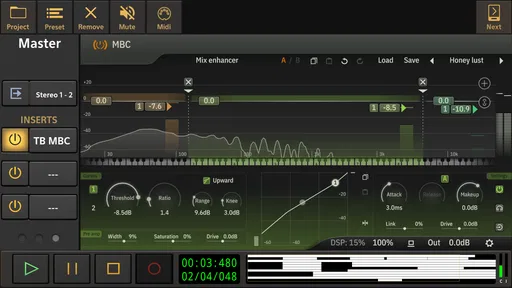
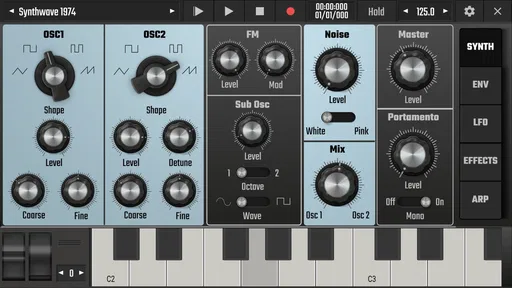
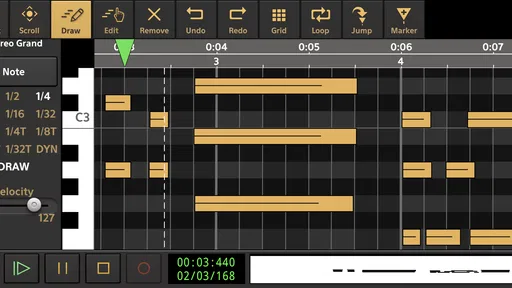
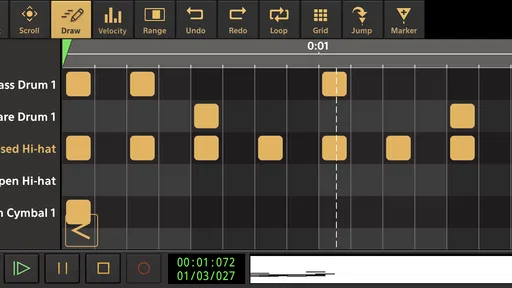
Our Review of Audio Evolution Mobile Studio
 Analysis by Appyee
I approached Audio Evolution Mobile Studio as someone who wanted to turn a rough musical idea into a usable recording without sitting at a desktop computer. It is an Android music and audio app from eXtream Software Development, and its central appeal is practical: it brings multitrack recording, USB audio, and MIDI into a mobile workflow rather than treating a phone or tablet as a simple voice recorder.
That distinction matters. This is not the sort of app I would open only to play background music or trim a quick memo. I see it as a compact recording environment for musicians, singers, beat makers, and anyone who needs to capture several parts, edit them, and shape them into a finished demo. The experience is more serious than casual, but it also asks more from the person using it.
The app sits in the Music & Audio category and is rated for Everyone, which makes it broadly accessible from an age-rating perspective. Its current version is 5.5.7.6, and it requires Android 6.0 or later. Those details make it viable on a wide range of Android devices, although the quality of the actual recording experience still depends heavily on the phone or tablet, the connected equipment, and how comfortable you are with music-production tools.
From a rough idea to a finished mobile recording
I like starting with one clear musical goal—a vocal line, guitar riff, or keyboard sketch—because it keeps a mobile session focused instead of turning setup into its own project. From there, I can judge whether recording and arranging on the device feels comfortable before committing to a larger piece. The next section looks at what changes when a session gets busier.
Starting with the right recording situation
My best use case for this app begins with a clear goal: I have a guitar part, a vocal melody, a rehearsal idea, or a MIDI performance that I do not want to lose. Instead of recording one long file and hoping to fix everything later, I can build the idea in separate parts. That changes the way I work because I can treat the rhythm, harmony, lead, and voice as distinct elements rather than one inseparable recording.
The first important decision is whether the project is genuinely suited to a mobile studio. If I am sitting with a USB audio interface, a microphone, or a MIDI controller, the app makes much more sense than a basic recorder. USB audio support is one of its defining strengths, because it gives the workflow a path from the instrument or microphone into a proper project. MIDI support is equally useful when the idea starts with a keyboard or another compatible controller rather than an acoustic performance.
I would not choose this app for a person who only wants to record a quick spoken note. It can be used for that kind of capture, but the studio-style approach introduces more decisions than a simple memo app. Input selection, track organization, monitoring, editing, and project management are valuable when I am building music, yet they can feel unnecessary when I only need a single file.
Before recording, I would prepare the session around the final purpose. A rehearsal reference can stay simple. A demo intended to share with a bandmate needs clearer track names and cleaner takes. A MIDI-based sketch may need a different approach from a live guitar-and-vocal performance. Thinking about the destination first prevents the project from becoming a pile of unnamed clips that is difficult to understand later.
Connecting instruments, microphones, and MIDI gear
The most useful handoff happens between the physical source and the mobile project. A microphone or instrument has to reach the device through the appropriate USB audio setup, while a MIDI controller needs to communicate in a way the app can use. This is where Audio Evolution Mobile Studio feels more capable than the usual phone recorder, but it is also where the workflow becomes less forgiving.
I would test the input before performing a complete take. A short recording tells me whether the intended source is arriving, whether the selected track is armed correctly, and whether the level is sensible. That small check can save a good performance from being ruined by an incorrect input or an unusable recording level. It also gives me a chance to listen for unwanted noise before I build the rest of the arrangement around it.
USB audio is especially valuable for singers and instrumentalists who already own a suitable interface. Rather than relying solely on the device's built-in microphone, I can bring in a more controlled source and keep the recording chain closer to a traditional studio setup. The trade-off is that the mobile device is no longer the whole studio by itself; cables, adapters, interface power, and physical space become part of the session.
MIDI changes the workflow in a different way. When I enter notes through a controller, I am not limited to preserving one live audio performance. I can work with musical data and shape the part as an arrangement develops. That is useful for composing away from a computer, sketching chord progressions, or creating a foundation before recording acoustic parts. It also means I need to be comfortable thinking in terms of tracks and timing rather than simply pressing record and playing once.
A practical tip is to keep the first project deliberately small. I would begin with one source and one musical idea, confirm the connection, and only then add more layers. Mobile screens make it easier to lose track of a complicated setup, particularly when a project contains several inputs or MIDI parts. Starting modestly makes the handoff from hardware to software easier to diagnose.
Building the arrangement one track at a time
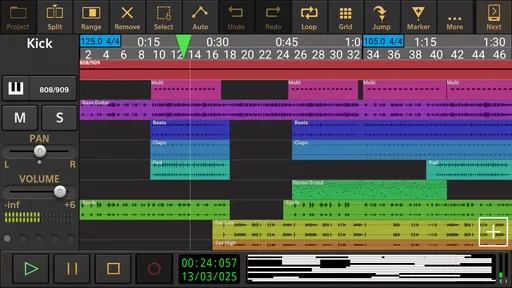
Once the first sound is in the project, the app becomes useful as a place to assemble a complete piece rather than merely store isolated recordings. I can separate a rhythm part from a lead part, keep a vocal on its own track, and return to individual elements without destroying the rest of the idea. That separation is the foundation of a workable mobile production process.
I find this approach more forgiving than trying to perform everything perfectly in one pass. If the guitar is strong but the vocal is weak, I can keep the guitar and replace the vocal. If the MIDI performance has the right notes but uneven timing, I can work on that part without re-recording the entire project. The benefit is not just convenience; it encourages experimentation because a mistake in one layer does not automatically invalidate every other layer.
Track organization becomes increasingly important as the project grows. I would name parts according to their role, keep related material together, and avoid recording several versions without a clear way to distinguish them. This is one of the less obvious lessons of using a mobile studio: the smaller screen does not reduce the need for organization. It increases it, because navigation and editing are less comfortable when the project is cluttered.
The app is also a better fit for structured songwriting than for completely spontaneous capture. If I already know that the arrangement will contain a percussion foundation, harmonic support, a melody, and a vocal, I can use separate tracks to develop those pieces in a logical order. If I am still searching for the idea, I may prefer to make a quick rough recording elsewhere first and bring the strongest concept into a more deliberate session.
Editing without losing the original idea
The handoff from performance to editing is where a mobile recording app proves whether it is genuinely useful. A good take is rarely perfect from beginning to end. I may need to remove a false start, keep the strongest section, align a part more carefully, or balance the relationship between several layers. Audio Evolution Mobile Studio gives that process a proper project context instead of leaving me with unrelated files.
I would edit conservatively at first. The goal of an early pass is to make the arrangement understandable, not to polish every tiny imperfection. I would remove obvious distractions, listen to transitions, and check that each track contributes something. Over-editing a performance on a small screen can take more time than expected, and it can also make a naturally played part feel lifeless.
One useful workflow is to duplicate or preserve a rough version before making major changes. That gives me a reference for the original performance and makes it easier to judge whether an edit genuinely improves the song. This is particularly important with vocals and acoustic instruments, where small timing corrections can change the character of the performance.
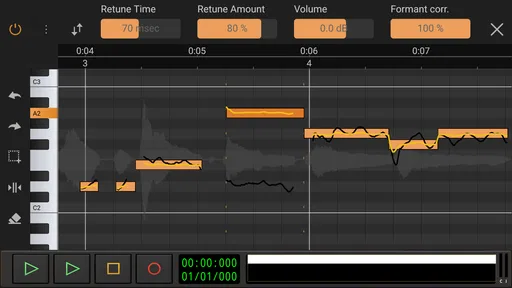
MIDI parts deserve a separate editing mindset. With audio, I am working with a captured performance. With MIDI, I can approach the material more like a musical sketch that can be refined. That makes the app appealing to people who compose at a keyboard or use MIDI to plan arrangements, but it may feel less direct to someone who only wants to record live instruments with no interest in note-based editing.
Moving from arrangement to a shareable result
The real test is not whether I can place several sounds in a project. It is whether the project can become something I can listen to, send, or use as a practical demo. Audio Evolution Mobile Studio is strongest when I treat it as a complete path from input to outcome: connect the source, record separate parts, edit the arrangement, and listen back critically before deciding that the work is finished.
I would check the result on more than one listening setup if possible. A mix that seems balanced through headphones may feel different through a small speaker, while a vocal that sounds clear alone may disappear once the other tracks are playing. This is not a special flaw of the app; it is a normal production issue, but mobile work makes it tempting to stop as soon as the project sounds acceptable on the device in front of me.
The app is particularly convincing for demos, songwriting drafts, rehearsal arrangements, and portable production sessions. A musician can capture an idea while away from a computer, develop it into a multi-part project, and use the result to communicate with collaborators. It can also serve as a learning environment for someone who wants to understand how separate tracks, audio inputs, and MIDI parts fit together.
Its paid model is worth considering before starting. The app costs $11.99, with in-app purchases ranging from $1.14 to $17.99 per item. I would look at the total cost in relation to my intended workflow rather than assuming the initial purchase answers every possible need. For someone who will regularly record through USB audio or work with MIDI, the investment may be easier to justify than it is for a casual user who records only occasionally.
Where the workflow becomes uncomfortable
The main friction is not the idea of mobile recording; it is the amount of attention required to manage a real project on a small touch interface. Editing detailed material can be slower than it would be with a desktop mouse, keyboard, and larger display. If I am working on a dense arrangement, I have to zoom, select, listen, and check my changes carefully. That is manageable for a demo, but less appealing for a long, highly detailed production.
There is also a difference between technical possibility and practical comfort. USB audio and MIDI make the app more serious, but they do not remove the physical limitations of a mobile setup. I still need a stable place for the device, a sensible connection chain, and enough patience to troubleshoot when the hardware and software do not behave as expected. A desktop digital audio workstation remains the better choice when I need extensive editing, a large project, or a familiar computer-based production environment.
Another limitation is the learning curve. The app is more capable than a voice recorder precisely because it exposes more of the recording process. A beginner may understand the basic record button quickly but still need time to learn track routing, input choices, MIDI preparation, and project organization. I would recommend starting with a short song section rather than attempting a full album or complex live session on the first day.
Performance quality can also vary with the device and equipment. The minimum operating system is Android 6.0, but meeting that requirement does not automatically make every device equally pleasant for recording. A newer tablet may offer a more comfortable workspace than a small phone, while a reliable interface may matter more than the device alone. I would treat compatibility as a starting point and test the exact setup before committing to an important session.
Who should use it and who should choose something simpler
I would recommend Audio Evolution Mobile Studio to musicians who want genuine multitrack work away from a computer, especially those interested in USB microphones or interfaces, MIDI controllers, songwriting, and portable demos. It is also a good match for someone who enjoys learning a production workflow rather than expecting an automatic result.
I would be more cautious about recommending it to a person who wants instant recording with no setup. A basic recorder is faster for a single voice note. A streaming music app is better for listening rather than creating. A desktop workstation is usually preferable for large arrangements, long sessions, and detailed editing with many connected devices. The right choice depends on whether mobility and integrated audio/MIDI work matter more than maximum screen space and convenience.
The app has built a substantial user base, with over one hundred thousand installs, an average rating of 4.3 from around ten thousand ratings, and roughly two thousand written reviews. Those figures suggest that it has found an audience beyond a niche experiment, but they do not remove the need to match the tool to the user. A well-rated studio app can still be the wrong purchase for someone who dislikes technical setup.
My practical verdict after following the full path
What I like most is the continuity of the workflow. I can begin with a physical instrument or MIDI idea, pass it into a project, keep parts separate, revise weak sections, and arrive at a useful musical result without immediately moving to a computer. That makes the app more than a portable recorder. It is a compact production workspace with a clear purpose.
The strongest non-obvious advantage is the way separate audio and MIDI approaches can support the same songwriting process. I can use live sound when the performance itself matters, MIDI when I need flexibility, and a combination when the arrangement benefits from both. That choice is more valuable than simply having many buttons, because it lets me decide how much of the original performance should remain fixed.
The most important caution is to plan for friction. I would test the hardware connection, keep the first project short, name tracks immediately, and preserve rough versions before making aggressive edits. Those habits make the difference between a productive mobile session and an evening spent searching through confusing takes.
For me, Audio Evolution Mobile Studio is worth considering when the goal is serious music creation in a portable format. It is not the easiest route to a quick recording, and it does not replace the comfort of a full desktop studio for every task. But if I wanted to capture a song idea with separate tracks, connect USB audio or MIDI gear, and carry the project forward from inspiration to demo, I would recommend giving it a close look. The developer is eXtream Software Development, the app was released on March 16, 2012, and its continued presence in this category reflects a focused tool that rewards users willing to work through its studio-style process.
Verdict
Strengths of Audio Evolution Mobile Studio
- Supports multitrack audio recording and editing on mobile devices.
- Works with many USB audio interfaces for higher-quality recording.
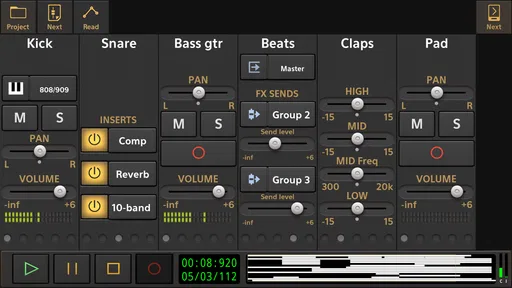
- Includes effects, virtual instruments, and mixing tools in one app.
- Offers automation for volume, panning, and effect parameters.
- Projects can be exported in common audio formats for sharing or mastering.
Limitations of Audio Evolution Mobile Studio
- The interface can feel complex for beginners unfamiliar with DAWs.
- Some advanced features and instruments require additional purchases.
- Performance may depend heavily on your device’s processing power.
- Touchscreen editing is less precise than using a desktop mouse and keyboard.
- Large multitrack projects can consume considerable storage space.
Other Releases by eXtream Software Development
View All
USB Audio Player PRO
Music & Audio4.0

USB Audio Recorder PRO
Music & Audio3.9
Similar Picks in This Category
View All
YouTube Music
Google LLC4.4

Samsung Music
Samsung Electronics Co., Ltd.3.8

Spotify: Music and Podcasts
Spotify AB4.3

JioSaavn - Music & Podcasts
Saavn Media Limited4.3

Lark Player:Music Player & MP3
Lark Player Studio - Music, MP3 & Video Player4.6

StarMaker: Sing Karaoke Songs
SKYWORK AI PTE. LTD.4.3
Frequently Asked Questions
What is Audio Evolution Mobile Studio used for?
Audio Evolution Mobile Studio is a mobile digital audio workstation designed for recording, editing, mixing, and producing music on Android and iOS devices. It supports multitrack audio and MIDI projects, virtual instruments, effects, automation, and external audio hardware. It is suitable for songwriting, podcast production, demos, beat creation, and more advanced mobile recording workflows.
Does Audio Evolution Mobile Studio support external microphones and instruments?
Yes, the app can work with compatible external audio interfaces, microphones, MIDI keyboards, and other music equipment. Using dedicated hardware generally provides better sound quality and lower latency than recording through a phone or tablet’s built-in microphone. Compatibility depends on the device, operating system, connection type, drivers, and available adapters, so users should check their equipment before downloading.
Is Audio Evolution Mobile Studio suitable for beginners?
Audio Evolution Mobile Studio offers powerful tools, but its extensive interface may feel complicated to users who have never worked with a digital audio workstation. Beginners can start with simple recording and editing tasks, then gradually learn tracks, routing, effects, MIDI, and automation. The app is more appropriate for users willing to explore its controls than for people seeking a basic one-tap music recorder.
Can I use virtual instruments, effects, and MIDI in Audio Evolution Mobile Studio?
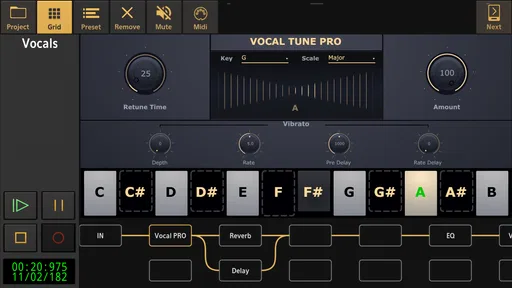
The application supports MIDI-based workflows and provides access to software instruments and audio effects, depending on the platform, installed content, and available purchases. Users can create melodies with a MIDI keyboard, edit notes, arrange parts, and process recordings with effects such as equalization, compression, and reverb. Storage space and device performance may affect how many tracks and plugins run smoothly.
Does Audio Evolution Mobile Studio require an internet connection or in-app purchases?
The basic application may be downloaded from the relevant app store, but some instruments, effects, sound libraries, or advanced features can involve additional purchases. An internet connection may be needed for downloading the app, activating content, or obtaining updates, while many recording and editing tasks can generally be performed offline. Before installing, review the current store listing and pricing for your device.
